
Version
Group by
The Group by step bundles rows with the same values and adds summary columns (counts, sums, averages, first/last, etc.) so you can make quick reports without formulas.
Parameters
-
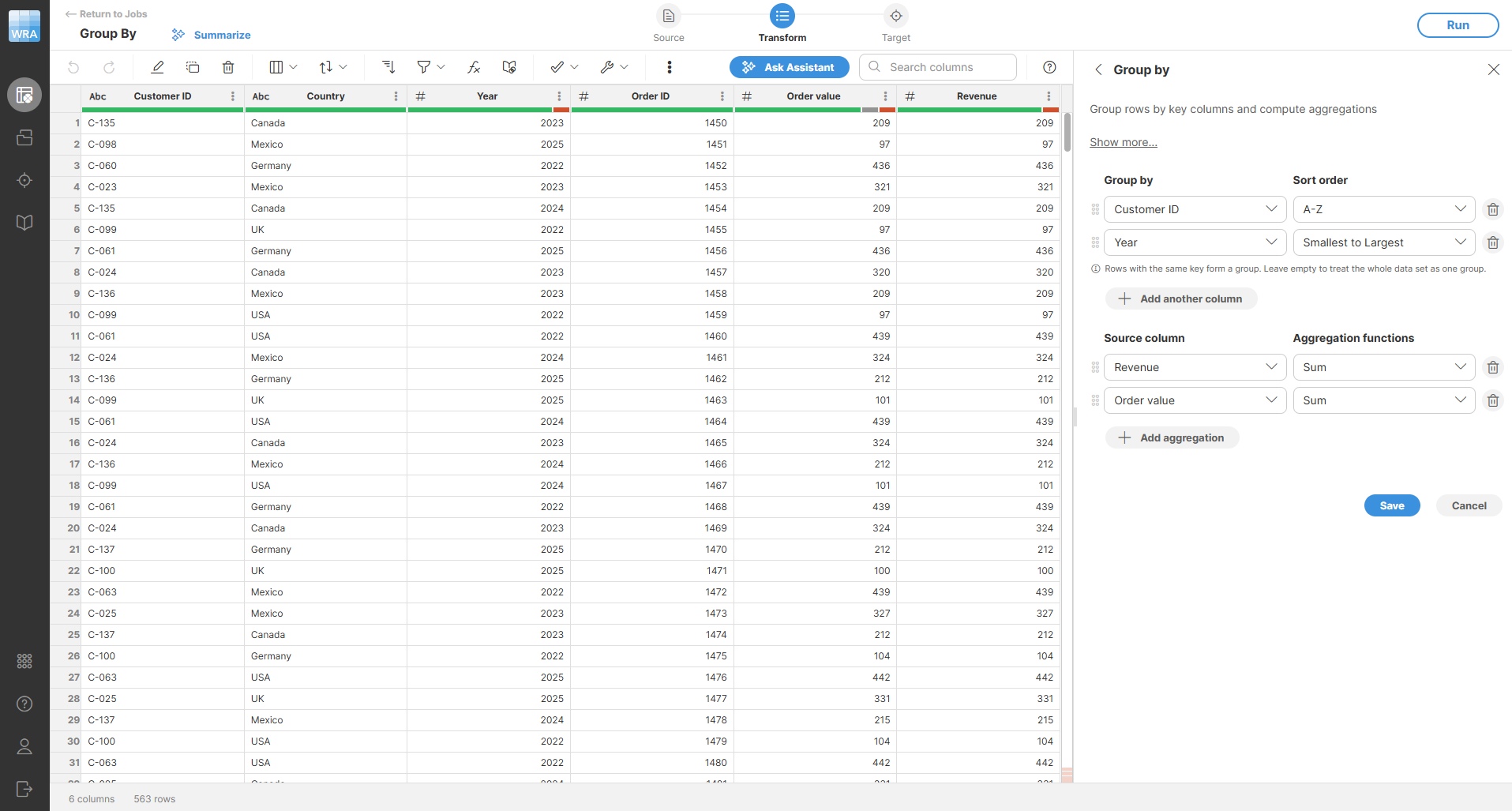
Group by (key columns): choose zero or more columns that define each group. Leave empty to aggregate the whole data set into one record. Each column can be used only once.
-
Sort order: configure the sorting direction. The choices will depend on the data type:
-
For numeric columns (integer and decimal) select either Smallest to largest (ascending) or Largest to smallest (descending order).
-
For string columns select either A-Z (ascending) or Z-A (descending).
-
For date columns select Oldest to newest (ascending) or Newest to oldest (descending).
-
For boolean columns select either False first or True first.
-
-
Aggregations: add the summary columns you need. For each:
-
Source column: pick a compatible column. The list is filtered based on the chosen function. Count needs no column.
-
Aggregation function: See the table below for available functions and what they do.
-
| Function | What it returns | Compatible column types |
|---|---|---|
Count |
Number of rows (includes empty values). |
None (no column needed) |
Count non-empty |
Number of non-empty values (ignores empty cells). |
Any |
Count unique |
Number of distinct non-empty values. |
Any |
Average |
Average of non-empty numeric values. |
Integer, decimal |
Minimum |
Lowest non-empty value. |
Integer, decimal, date, string |
Maximum |
Highest non-empty value. |
Integer, decimal, date, string |
Sum |
Sum of non-empty numeric values. |
Integer, decimal |
Median |
Median of non-empty values. |
Integer, decimal, date |
Standard deviation |
How spread out the non-empty numeric values are. |
Integer, decimal |
Mode |
Most common non-empty value. |
Any |
First |
First value in the group (after sorting). |
Any |
First non-empty |
First non-empty value in the group. |
Any |
Last |
Last value in the group (after sorting). |
Any |
Last non-empty |
Last non-empty value in the group. |
Any |
Empty strings count as empty values.
Examples
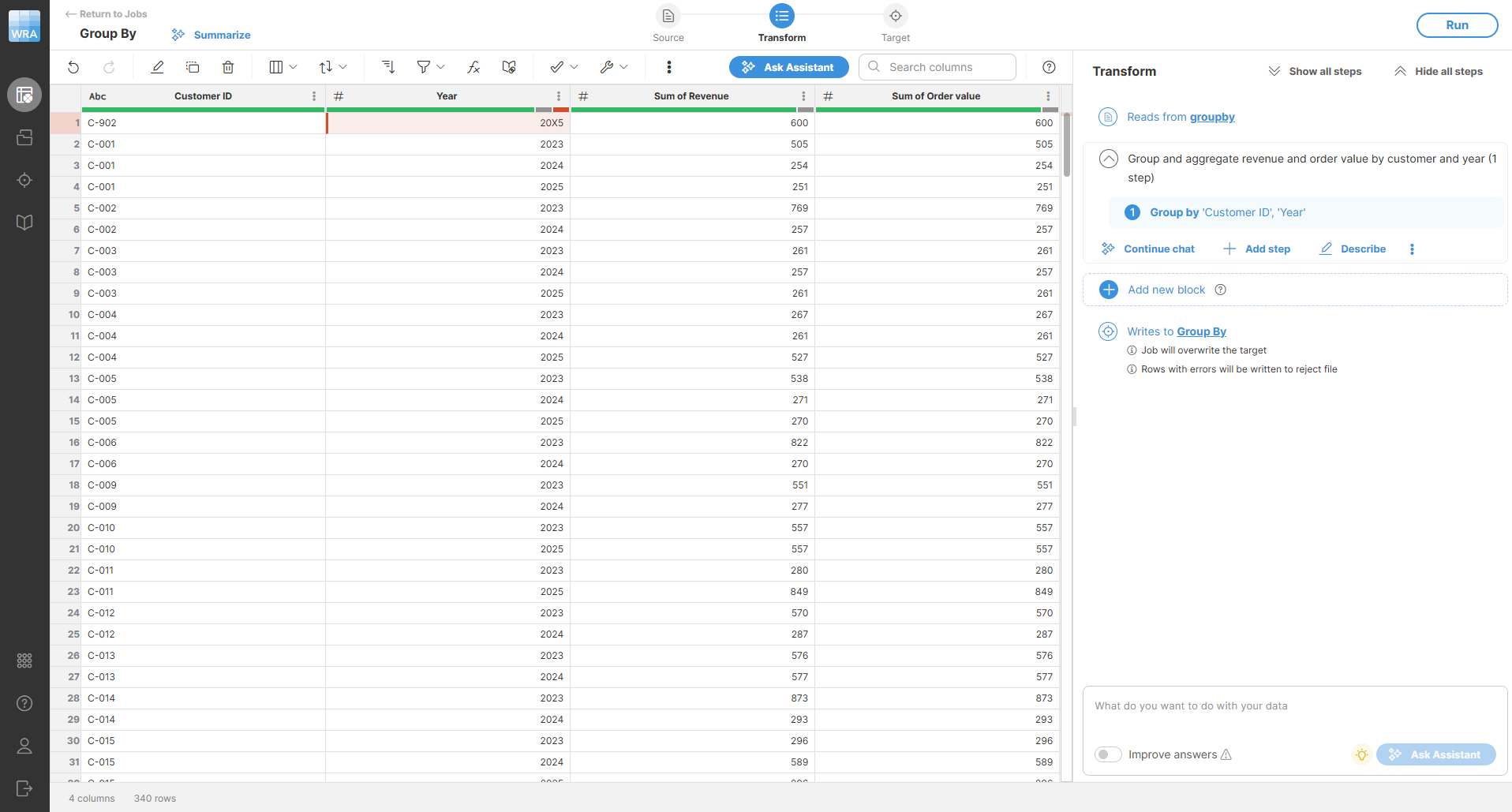
To analyze yearly sales, group by Country and Year. Add aggregations for Sum of Revenue and Average of Order value. The output will have one row for each country/year combination with total and average revenue.
The output will look like this:
Remarks
-
Output columns are ordered: all key columns first (in your order), then aggregations (in the order added).
-
With no keys, the step still outputs one record. Count functions return
0on empty input. -
Empty strings count as empty values. If a key column is empty or has an error, those rows are grouped together in their own group.
-
When sorting by key columns, rows with errors in the key sort first (errors are treated as the lowest values).

-
Input is sorted by key columns before aggregation.
| Area | Behavior |
|---|---|
Key columns |
Empty strings and nulls are grouped together. Cells with an error in a key column are grouped together and sort first so you can see those records. |
Aggregated columns |
Error values are skipped. If everything in a group is empty or error, the aggregation returns an empty value (not an error). |
Output order |
Key columns first, then aggregations; data is sorted by key columns before aggregation. |