
Version
Salesforce connections
Salesforce connection allows you to connect to Salesforce. The connection is required by components reading from and writing to Salesforce.
Creating Salesforce connection
To create a Salesforce connection, right click Connections in Outline and choose .
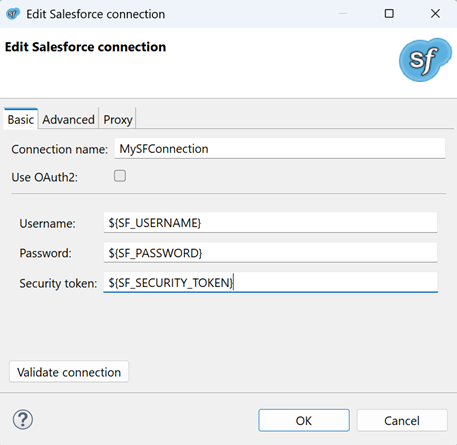
In Salesforce Connection Dialog, fill in Username, Password, and Security token or select Use OAuth2.
Figure 287. Salesforce connection dialog Ia
Username is your Salesforce username.
Password is password to your Salesforce account.
Security token is a security token for an external application. You can acquire a new security token in Salesforce web GUI: menu:[Username][My Settings > Personal > Reset My Security Token].
To specify password and security token, use Secure Graph Parameters.
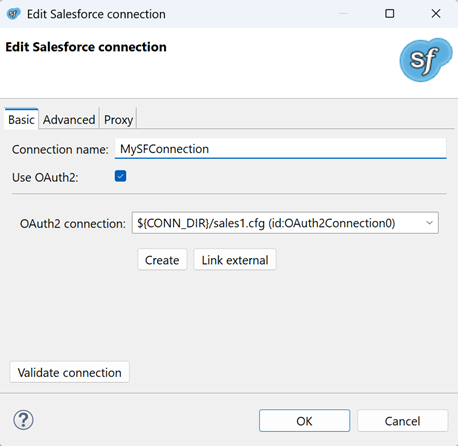
Figure 288. Salesforce connection dialog Ib
OAuth2 connection to your Salesforce client application.
If your graph doesn’t have any OAuth2 of the Salesforce type you may use Create or Link External buttons to add it.
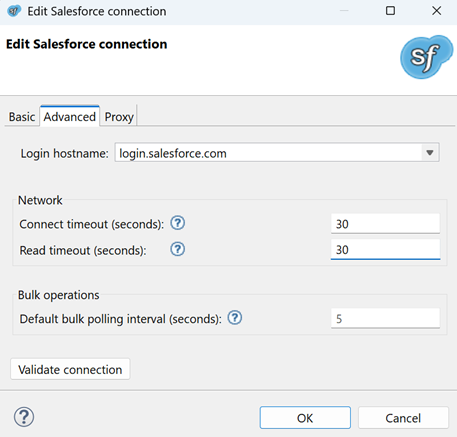
Figure 289. Salesforce connection dialog II
Login hostname is a URL of Salesforce service.
The default value is login.salesforce.com. If the connection uses OAuth2 the hostname
is the OAuth2 connection domain and can’t be changed by user.
Connect timeout (seconds) is timeout for creating the Salesforce connection. The default value is 30.
Read timeout (seconds) is timeout for subsequent network operations. The default value is 30.
Default bulk polling interval (seconds) is the time between requests for results of asynchronous calls. This configuration can be overridden in configuration of Salesforce components. Lower value means faster response but more API calls.
If you need to use a proxy, it can be configured on Proxy tab. In Salesforce connection, only an anonymous proxy is supported.
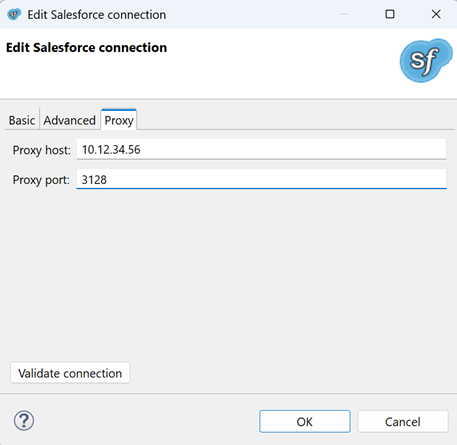
Figure 290. Salesforce connection dialog III
Use Validate connection to validate the connection.
Use OK to save the configuration.
Important details
Salesforce edition
Using Salesforce connections requires the Integration via web service API Salesforce feature. Make sure your Salesforce edition supports the API integration.
Limits on connections
If you design a graph, you should know that there is a limit on number of requests and on number of concurrent requests. These limits depend on the Salesforce edition you use. See the Salesforce documentation for details on these limits.